Clearer visibility.
Confident decisions.
Your rolling cash position — always current and synced directly from QuickBooks. See every open invoice and bill with expected timing and bring payroll into the picture from your headcount forecast.
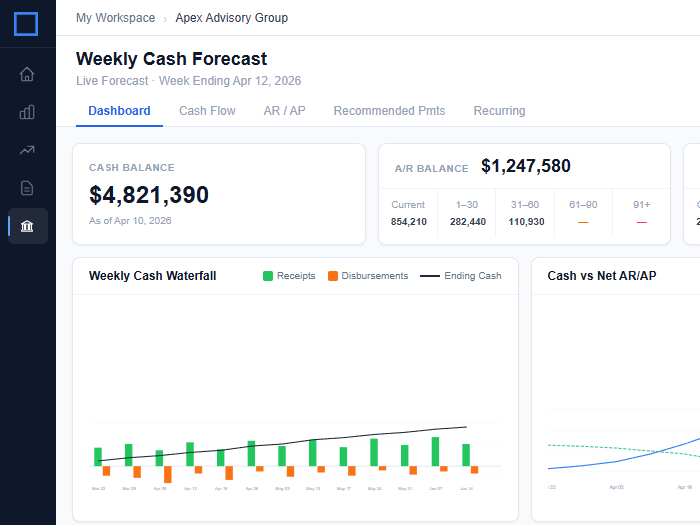
Due dates sync from QuickBooks and schedule automatically. Double-click any invoice or bill to move it to a different week, record partial payments, or shift timing for an entire customer, vendor, or category at once.
- Automatic due date scheduling from QuickBooks
- Double-click to reassign any payment to a new week
- Partial payment support
- Adjust timing by customer, vendor, or category in one click
Accounts receivable and accounts payable
History and forecast, side by side
See actual QuickBooks transactions and your forward forecast in the same view. No switching between reports to understand where you stand.
Full control over AR/AP timing
Due dates from QuickBooks schedule automatically. Double-click any invoice or bill to move it to a different week, pay partial amounts, or adjust timing across an entire vendor, customer, or category at once.
Payroll without the spreadsheet
Pull your employee schedule from an existing forecast to create recurring payroll disbursements.
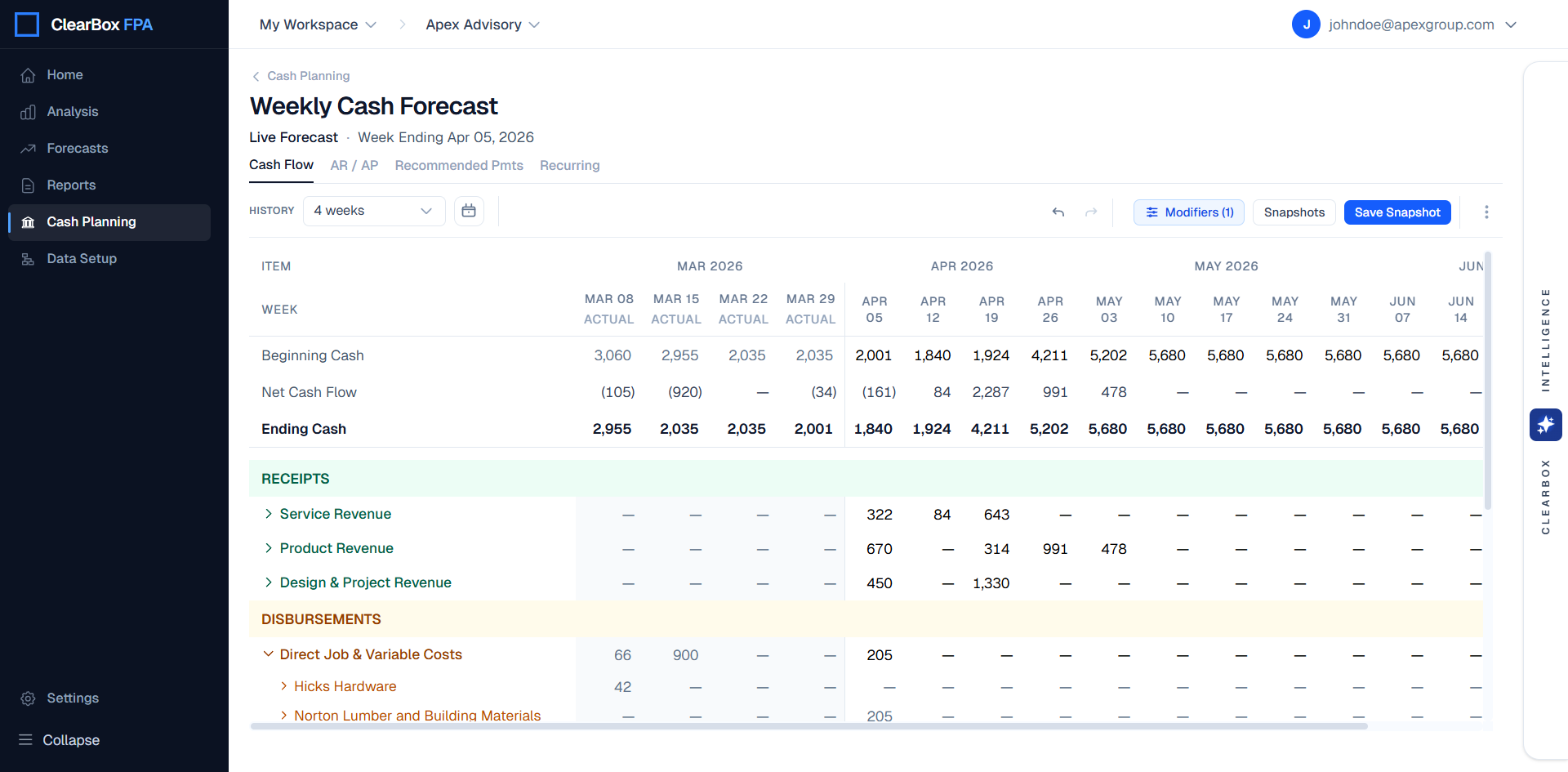
Everything you need to plan and track cash
Cash flows by category, vendor, and transaction
Drill into any week by category, customer, or vendor. See exactly what's driving your position.
Snapshots
Save your forecast at any point in time. Compare future actuals against what you expected and spot variances as they emerge.
AP payment run
See every planned bill payment for the current week, add custom comments, and export to Excel for your AP approval process.
One-time and recurring planning
Add any future receipt or disbursement manually, or set up a recurring rule for rent, subscriptions, and other fixed cash flows.
Intuit and QuickBooks are registered trademarks of Intuit Inc. Used with permission.